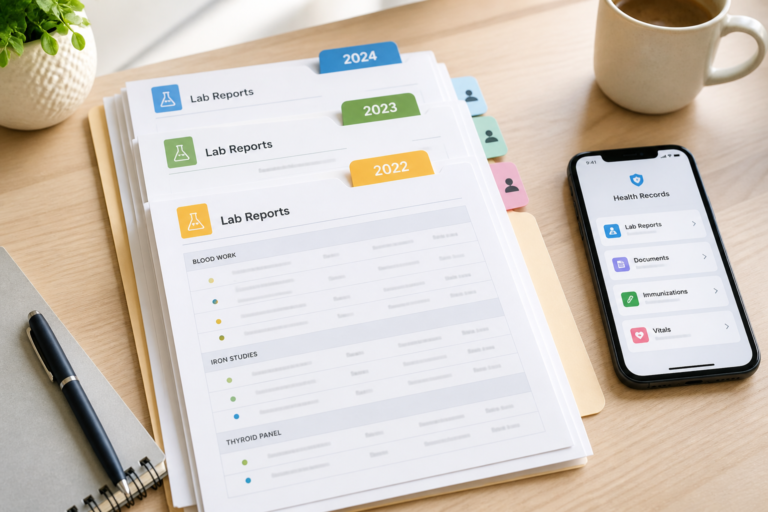

A clinician asks about a previous result, medication change, or hospital visit. You know the information exists, but it is in another provider’s portal, a paper folder, or a message you cannot find.
That does not necessarily mean anyone made a mistake. Health information can sit in separate systems, and the record available in one consultation may not include everything held elsewhere. Your practical goal is not to build a perfect lifetime record. It is to make the most relevant source information easy to find, verify, and share.
This guide gives families and caregivers a focused checklist for the next appointment.
Medical information notice: A family-maintained copy complements, but does not replace, a provider’s official record or professional judgment. EZM5 organizes information; it does not diagnose, treat, interpret results, provide triage, or provide emergency services. In an emergency, contact local emergency services immediately—do not delay care while looking for records.
Why a Clinician May Not See Every Record
Each organization creates and maintains records for the care it provides. A primary-care practice, hospital, laboratory, pharmacy, specialist, school clinic, and travel clinic may use different systems. Some exchange information; others require a request, patient authorization, or manual transfer.
A 2024 CDC-affiliated study of electronic health record data used for U.S. public-health surveillance reported that missing data are common and that fragmented care can prevent comprehensive integration across settings. The study was about surveillance infrastructure, not an audit of individual pediatric charts, but it illustrates why electronic does not always mean complete or connected. Read the CDC study.
For a broader explanation of why information becomes separated, read Fragmented Health Data: How Families Can Take Back Control.
Build a Minimum Useful Appointment Packet
Do not send an entire archive unless the practice asks for it. Start by asking what information the clinician needs and how the organization accepts records. Then prepare the smallest set that answers the likely questions.
1. Current medications and known allergies
Keep a current list of prescription medicines, over-the-counter products, vitamins, and supplements, including the name, dose, and schedule as shown on the label or instructions. Add known medication allergies and the reaction that was documented, if available.
Bring the actual containers when the care team requests them. The Joint Commission advises patients to keep a medical history and current medication list and bring that information to appointments, especially when seeing a new clinician or multiple providers. Review its patient guidance.
Do not change a medicine because two lists disagree. Show the discrepancy to a qualified healthcare professional.
2. Relevant summaries and care plans
Collect the documents most closely connected to the current visit, such as:
- a recent consultation or hospital discharge summary;
- an active care plan;
- a specialist letter;
- a vaccination record when relevant;
- the report from a procedure, scan, or examination being discussed; and
- contact details for the provider that created the record.
Preserve the original PDF or a clear scan of every page. A source document is easier to verify than a retyped summary.
3. Previous results the clinician asked to compare
Keep the report with its date, provider or laboratory, units, and reference range. Values from different laboratories or methods may not be directly comparable, so leave interpretation to the clinician.
If you want a child-specific explanation of why source reports and dates matter, read How to Track Your Child’s Lab Results Over Time.
A clinician may still repeat a test for a valid reason: the result may be outdated, the clinical question may have changed, or the method or quality may differ. An earlier report provides context; it does not determine whether another test is needed.
4. A short event timeline
For a complicated episode, list only the events that help orient the reader:
| Date | Event | Provider | Source document |
|---|---|---|---|
| 2026-05-04 | Urgent-care visit | City Clinic | Discharge summary |
| 2026-05-11 | Follow-up consultation | Family practice | Visit note |
| 2026-06-02 | Laboratory test | Regional Lab | Original report |
Separate family observations from clinician-documented information. For example, label a note “Caregiver observation” rather than presenting it as a diagnosis.
5. Questions and missing pieces
End the packet with two short lists:
- Questions for this visit: What needs clarification or a professional decision?
- Records still missing: Which provider holds them, and when did you request them?
This makes uncertainty visible. It is safer than presenting a family copy as complete.
Request Missing Records From the Source
Start with the portal’s download function, medical-records office, or the organization that created the document. Ask for a readable electronic copy when available, and be specific about dates, departments, and record types.
Rights and procedures differ by jurisdiction:
- United States: The HIPAA Privacy Rule generally gives individuals access, on request, to a broad set of information held in designated record sets by covered providers and health plans, with limited exceptions. This can include medical and billing records, laboratory reports, images, and clinical notes. Read current HHS guidance.
- United Kingdom: Family or caregiver access may be called proxy access. For children, identity, parental responsibility, the child’s age and capacity, and the child’s best interests can affect what is available. See NHS guidance for children under 16.
- Elsewhere: Ask the provider or local data-protection or health authority about access, correction, fees, timing, and proof of authority.
Do not assume that being a parent, partner, or caregiver automatically gives access to another person’s records. Rules may depend on age, capacity, consent, custody, parental responsibility, and the type of record.
If a source record appears wrong, keep the original and ask the organization that created it about its correction process. Do not silently edit a clinical document.
Prepare the Handoff Before the Visit
Check that every scan is legible, includes all pages, and shows its date and source. If several documents belong to the same episode, add the short event timeline as the first page or as a separate note. Do not merge, crop, or annotate a source report in a way that could hide its origin or alter its meaning.
Before sending the packet, confirm:
- what the recipient needs;
- which transfer method the organization accepts;
- whether the recipient can open the format;
- whether it wants the packet before the visit or brought to the appointment; and
- how the outside information will be reviewed or added to its record.
Email, messaging apps, and downloaded files can be forwarded or remain on a recipient’s device. A sharing session ending does not erase copies someone already made outside the service.
For records needed independently for medical, legal, insurance, school, or travel purposes, keep a separate copy in the appropriate format and location. No app or online service can guarantee uninterrupted access.
Use EZM5 to Assemble the Packet
EZM5 can support this specific appointment workflow:
- Open the profile you are authorized to manage.
- Add the relevant source documents to the dated event for the appointment or episode, or upload them to the profile’s Documents area.
- Search the Documents area by file name when you need to retrieve a report.
- Open, download, or share a copy of an individual file using the options available on your device, then use the transfer method the practice accepts.
Supported uploads include PDFs and common image formats such as JPG, PNG, HEIC, WEBP, and TIFF. Feature availability depends on the subscription, remaining plan capacity, profile, role, device, and available data.
SafeShare is different from sharing an appointment packet. It gives the guest temporary, read-only access to the entire profile data available through the sharing session. You cannot select individual events, documents, measurements, or other records for a SafeShare guest. Use SafeShare only when full-profile access is appropriate and the recipient accepts that method. The guest supplies a five-character code; you can see the expiration and revoke access sooner. A profile must contain shareable data, and simultaneous-session limits depend on the subscription.
EZM5 does not select which records are clinically relevant or transmit records automatically to providers. Ask the receiving practice what it wants and how it accepts outside information. EZM5 is not the official provider record; confirm important information with the organization that created it.
Protect the Appointment Packet
Share only with an authorized recipient and use the method the practice approves. If you use SafeShare, remember that the guest can view the whole shared profile, not a selected packet. Review the profile before starting the session and do not use SafeShare when the recipient should see only particular records. Protect the device and account used to prepare the packet. Do not place sensitive diagnoses or other unnecessary details in a file name that may appear in notifications or recent-file lists.
The EZM5 Privacy Policy states that app data is stored and processed in the United States and encrypted in transit and at rest. It says app health records, uploaded documents, measurements, profile details, SafeShare data, and guest-access data are not used for advertising. Health records and uploaded documents remain while they are in the account or managed profile unless they are deleted or deletion is requested; deleted information may remain temporarily in encrypted backups or logs for the reasons stated in the policy. No system is completely secure. For a broader evaluation framework, read How to Protect Your Health Data Privacy: A Practical Guide.
Prepare for the Next Appointment
Take one concrete step:
- Open EZM5.
- Create the profile you are authorized to manage.
- Ask the practice what outside information it wants and how it accepts it.
- Add the three original documents most likely to answer the questions for that appointment.
- Note what is still missing instead of treating the packet as complete.
Build the rest only when it becomes useful.
Frequently Asked Question
Can my doctor automatically see records from another clinic or country?
Sometimes, but not always. Access depends on connected systems, organizational agreements, permissions, regional infrastructure, and the record type. Ask the receiving practice what it can access and what you should provide.
What should I bring to a first appointment?
Ask the practice first. A useful starting set is a current medication and allergy list, relevant recent summaries and reports, active care plans, vaccination information when relevant, and a short question list. Bring source documents rather than relying only on memory.
Should I send my entire medical archive?
Usually not unless the practice requests it. Ask what is relevant to the visit and provide a focused packet. A smaller set with clear dates and sources is easier to review, and a list of known gaps is more honest than labeling an archive complete.
Can I choose which records a SafeShare guest sees?
No. SafeShare gives the guest temporary, read-only access to the entire shared profile; it does not let you select individual documents, events, or measurements. If the recipient should receive only particular records, download or share copies of those files using an accepted transfer method instead.
Can a caregiver request or manage someone else’s records?
It depends on local law and the person’s age, capacity, consent, and the caregiver’s legal authority. Ask the provider what proof and authorization it requires. Do not upload or share another person’s information unless you are authorized to do so.
Sources
- Ghildayal N, Nagavedu K, Wiltz JL, et al. Public Health Surveillance in Electronic Health Records: Lessons From PCORnet. Preventing Chronic Disease. 2024;21:230417.
- U.S. Department of Health and Human Services. What personal health information do individuals have a right under HIPAA to access?. Reviewed May 30, 2025.
- NHS. How to get family and carer access for children under 16. Accessed July 5, 2026.The Joint Commission. Keep a Record of Your Medical History and Current Medications. Accessed July 5, 2026.
- EZM5 Digital Inc. Privacy Policy. Local policy source reviewed July 5, 2026.